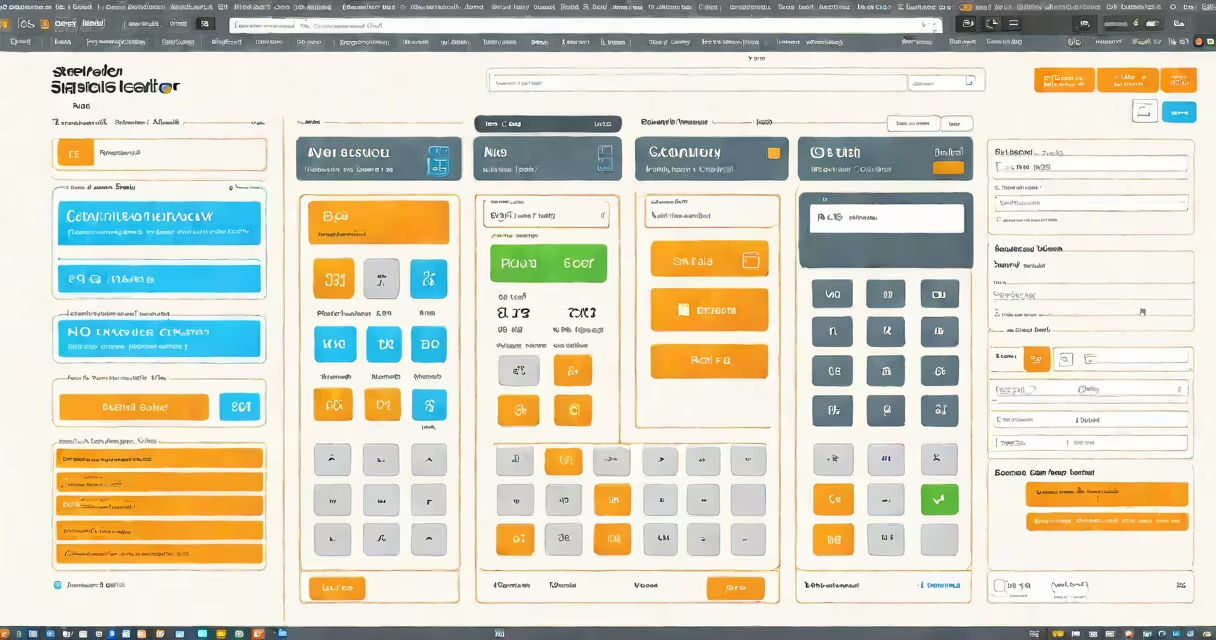
The AWS Simple Monthly Calculator is a free web-based tool that estimates monthly costs for AWS services based on selected resources, usage patterns, and region-specific pricing. It provides a transparent, interactive way to project expenses before committing to infrastructure.
Developed by Amazon Web Services, the tool uses current published rates from AWS's public pricing page and applies them to user-defined configurations. It supports core services like EC2, S3, Lambda, RDS, and others. Users enter quantities, instance types, storage volumes, and data transfer levels to generate a detailed cost projection.
For example, selecting a t3.small EC2 instance in us-east-1 with 100 GB of EBS storage and 1 TB of outbound data transfer results in a projected cost of $36.72 per month. This includes $10.50 for the instance, $12.50 for EBS, $13.72 for data transfer, and $0 for the OS (assuming a free AMI).
The AWS Simple Monthly Calculator operates in real time. As users adjust inputs-such as instance count, storage size, or network egress-the total cost updates instantly. All calculations are based on publicly available AWS pricing, which is updated regularly and reflects regional differences.
Inputs are grouped into service categories. For EC2, users select instance type (e.g., m5.large), number of instances, duration (hourly or monthly), and whether they're using On-Demand, Reserved, or Spot instances. Storage options include EBS volume size and type (General Purpose SSD, Provisioned IOPS, etc.).
Data transfer costs are calculated based on outbound traffic from AWS regions. The tool accounts for both intra-region and cross-region transfers, applying different rates depending on destination and volume. For example, 100 GB of data transferred between us-east-1 and eu-west-1 incurs a charge of $0.09 per GB, totaling $9.00.
The calculator supports over 20 AWS services. Core offerings include compute (EC2), storage (S3, EBS), databases (RDS), networking (VPC, data transfer), and serverless (Lambda).
| Service Type | Configurable Inputs | Example Cost Impact |
|---|---|---|
| EC2 | Instance type, count, duration, purchase option | t3.medium (On-Demand): $15.50/month |
| S3 | Storage volume, request frequency, data transfer | 100 GB Standard: $2.50/month |
| RDS | DB instance class, storage, backup retention | db.t3.micro: $12.00/month |
| Lambda | Invocation count, duration, memory allocation | 1 million invocations: $0.20/month |
A non-obvious feature is the ability to compare On-Demand versus Reserved Instance pricing. Selecting a 3-year Reserved Instance for a c5.xlarge instance reduces the monthly cost from $284.00 (On-Demand) to $144.00-a 49% savings. This comparison is critical for long-term workloads.
Many users assume the calculator gives exact production costs. It does not. The tool estimates based on standard pricing and assumes optimal configuration. Actual bills may differ due to changing pricing, reserved instance availability, or usage spikes.
Another misconception is that the calculator includes all AWS charges. It excludes certain features like AWS Support plans, Identity and Access Management (IAM) costs, or third-party software licensing. These must be added manually.
For example, a team planning a new application estimated $1,200/month using the calculator. After deployment, the actual bill reached $1,850. The difference came from unaccounted data transfer fees during peak hours and additional API calls to DynamoDB beyond the initial estimate.
Use the AWS Simple Monthly Calculator during early design phases, budget planning, or migration assessments. It helps validate architecture choices and justify spending to stakeholders.
One client used it to compare running a web app on EC2 versus Elastic Beanstalk. The EC2 setup required 2 t3.medium instances and 100 GB of EBS storage-totaling $31.00/month. The Elastic Beanstalk version, including load balancing and auto-scaling, came to $48.50/month. The decision favored EC2 due to lower cost and simpler management.
I used the tool while designing a media processing pipeline. I modeled 100 hours of video transcoding via Lambda and S3. The initial estimate was $21.00/month. After adding error handling and retries, the final cost rose to $38.00. The tool helped catch underestimation early.
While the Simple Monthly Calculator is ideal for quick projections, it lacks advanced features like multi-account modeling or integration with CI/CD pipelines. For deeper analysis, teams use AWS Cost Explorer or third-party tools like CloudHealth or Spot.io.
Always verify pricing against the official AWS pricing page. The calculator pulls from the same source, but regional variations exist. For example, us-west-2 has slightly lower EC2 rates than us-east-1 for equivalent instance types.
Use the "Export" function to save configurations as JSON. This allows sharing with team members or importing into cost monitoring tools later. Exported files can be parsed programmatically to automate budget checks.
Set realistic assumptions. Overestimating storage needs leads to inflated costs. Underestimating data transfer can result in surprise charges. Always factor in burst usage and seasonal demand.
The AWS Simple Monthly Calculator is not a substitute for ongoing cost monitoring. It's a planning tool. Once deployed, use AWS Budgets, Cost Allocation Tags, and Cost Explorer to track actual usage and enforce spending limits.
For accurate forecasting, combine the calculator with historical usage data. A company running a monthly report on EC2 idle time reduced their average instance count by 30% after identifying underused resources.
Final note: the tool is free, requires no login, and runs entirely in the browser. It's accessible at https://calculator.aws/. No API keys or credentials are needed.