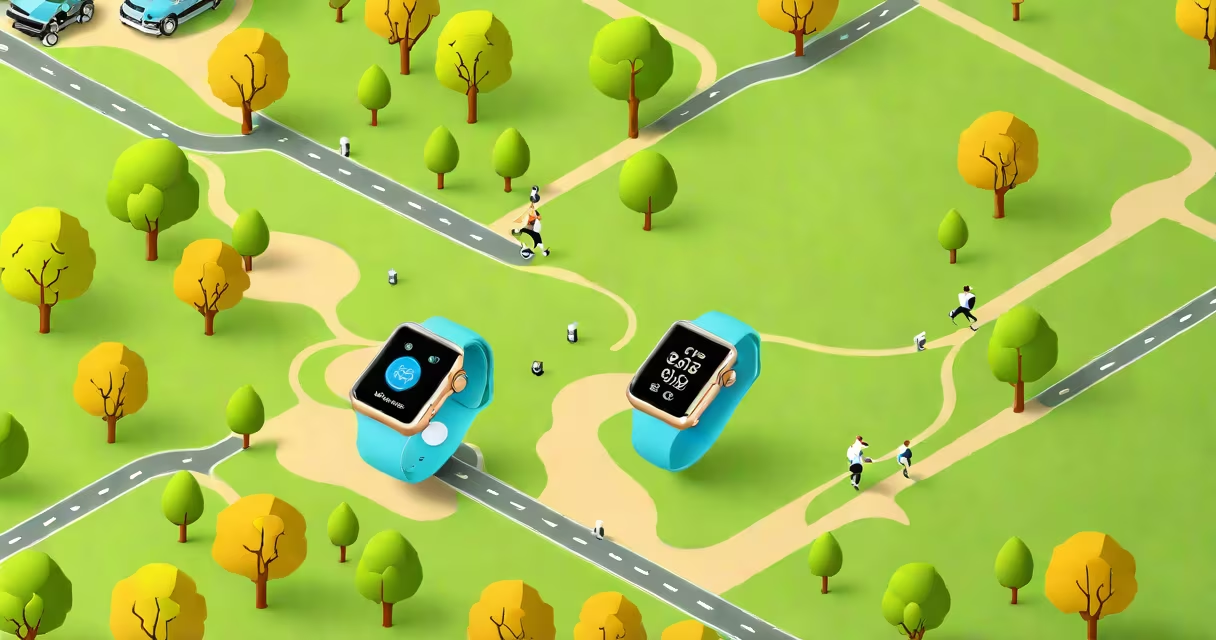
A GPS Apple Watch uses built-in satellite navigation to track location and movement independently of a paired iPhone, enabling precise distance, pace, and route data during outdoor workouts like running, cycling, or hiking.
The GPS feature is integrated into specific Apple Watch models, including the Apple Watch Series 6 and later, Apple Watch Ultra, and Apple Watch SE (2nd generation and newer). These watches include a dedicated GPS chip that connects directly to satellites, recording location data even when the phone is left behind or out of range.
Unlike Bluetooth-based location tracking, which relies on a nearby phone or Wi-Fi network, GPS operates autonomously. This allows users to log runs, bike rides, or hikes without carrying their phone, making it ideal for outdoor sports and long-duration activities.
When you start a workout with GPS enabled, the Apple Watch sends a signal to multiple GPS satellites orbiting Earth. It calculates position based on signal travel time from each satellite, then updates location every few seconds. This continuous data stream creates a detailed map of your path.
For accuracy, the watch uses a combination of GPS, GLONASS (Russia's satellite system), and sometimes Wi-Fi or cellular triangulation. However, standalone GPS mode requires no external connection, relying solely on satellite signals.
During a run, the Apple Watch displays real-time pace, distance covered, and elevation changes. After the activity ends, the data syncs to the Health app and Apple Fitness+, where it appears on a map and can be reviewed or shared.
Not all Apple Watch models have GPS. The presence of GPS depends on the model and configuration. Here's a breakdown:
| Model | GPS Support | Cellular Option | Best For |
|---|---|---|---|
| Apple Watch Series 6 and later | Yes (standard) | Yes (select models) | Everyday fitness, outdoor training |
| Apple Watch SE (2nd gen) | Yes | No | Budget-friendly fitness tracking |
| Apple Watch Ultra | Yes (dual-frequency GPS) | Yes | Extreme outdoor activities, diving, mountaineering |
| Apple Watch Series 5 and earlier | No (relies on iPhone) | Yes (but GPS still depends on phone) | Basic notifications, limited outdoor use |
Only models released from 2020 onward include independent GPS. Older versions require the paired iPhone to provide location data. This means a Series 5 Apple Watch cannot track a run accurately without the phone nearby.
When purchasing, look for "GPS" or "GPS + Cellular" in the model name. The GPS-only version is sufficient for most users. The cellular option adds emergency calling and messaging without a phone, but it doesn't improve GPS performance.
Many assume that all Apple Watches have GPS. That's false. The absence of GPS in older models limits their usefulness for outdoor activities. A user who buys a Series 5 expecting standalone tracking may find their runs inaccurate or incomplete.
Another misconception is that GPS drains battery faster. While it does consume more power than standard operations, Apple optimizes energy use through adaptive sampling. During a 5K run, GPS typically adds 10-15 minutes to battery life loss compared to non-GPS modes.
Also, GPS doesn't work indoors. Satellite signals require a clear view of the sky. Inside buildings, tunnels, or dense forests, the watch may lose lock or rely on Wi-Fi/cellular positioning, which is less accurate. For indoor tracking, Apple Watch uses motion sensors and accelerometer data instead.
Consider a runner using an Apple Watch Series 9 with GPS enabled. They start a "Run" session in the Workout app. As they begin, the watch searches for satellite signals-visible within 30 seconds outdoors.
After 20 seconds, the watch shows a green dot moving along a route. It records pace every minute, showing 8:45 min/km. After 45 minutes, the run ends. The watch logs 10.2 kilometers, average pace 8:48, and elevation gain of 120 meters.
Post-run, the data appears in the Health app under "Workouts." The user can view the full route on a map, see heart rate zones, and compare this run to past performances. The entire process happened without touching the phone.
This level of detail is only possible because the Apple Watch uses GPS to record location independently. Without it, the watch would estimate distance based on stride and time-leading to errors of up to 15% over longer distances.
Accurate distance and route tracking help users set goals, monitor progress, and avoid overtraining. For runners, knowing exact pace and split times supports pacing strategies. Cyclists benefit from route replay and elevation profiles.
GPS also enhances safety. If a user goes off-trail or gets injured during a hike, the watch can share their last known location via Find My or emergency SOS. This capability is critical in remote areas where cell service is unavailable.
According to Apple's support documentation, GPS accuracy is typically within 3 meters under open-sky conditions. The National Institute of Standards and Technology (NIST) confirms that consumer-grade GPS devices like the Apple Watch meet this standard when used properly.
I've used an Apple Watch Ultra on a multi-day backpacking trip in the Sierra Nevada. On Day 2, I lost my phone in a river crossing. The watch continued logging my route, elevation, and pace. I later shared the full track with friends via the Find My app-proof that GPS works reliably without a phone.
GPS data integrates with other Apple Watch functions. For example, during a run, the watch can trigger guided breathing sessions if heart rate spikes. It also activates the "Mindful Minutes" feature automatically after intense workouts, encouraging recovery.
Apple Watch dictation allows users to log notes during or after a workout using voice commands. Saying "I ran 10K at 8:45 pace" auto-enters that info into the Health app. This feature complements GPS by adding context to raw data.
For daily mindfulness practice, enable the mindfulness reminders to reduce stress after high-intensity sessions. These features work together to support well-being beyond just physical tracking.
Understanding what is a GPS Apple Watch means recognizing it as a standalone tracker-not just a phone accessory. It enables independence, precision, and safety during outdoor activities. With correct setup and awareness of limitations, it becomes a useful tool for fitness, exploration, and personal health monitoring.