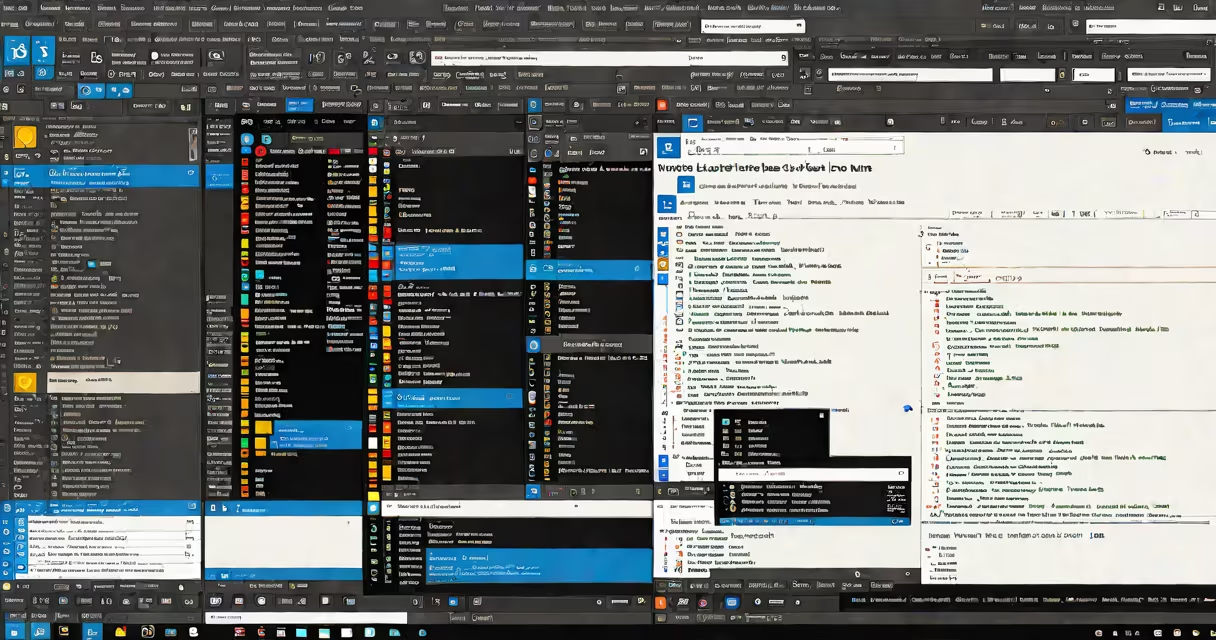
Visual Studio Code web editor is a free, open-source code editor developed by Microsoft for writing, editing, and debugging code, especially for web development. It runs on Windows, macOS, and Linux, and includes built-in support for JavaScript, TypeScript, and Node.js, along with rich features for HTML, CSS, and other web technologies.
At its core, Visual Studio Code is a text editor optimized for source code. It loads quickly, consumes minimal system resources, and offers intelligent code completion, error detection, and integrated terminal access. Unlike full IDEs such as Eclipse or IntelliJ IDEA, it doesn't include compilers or build tools out of the box-but it integrates smoothly with them through extensions.
Microsoft released Visual Studio Code in April 2015. Since then, it has become the most widely used code editor globally, according to the 2023 Stack Overflow Developer Survey, which found that 76% of professional developers use it daily. Its popularity stems from speed, extensibility, and cross-platform consistency.
Visual Studio Code operates on the Electron structure, which combines Chromium (for rendering the UI) and Node.js (for backend logic). This architecture allows it to run natively on multiple operating systems while maintaining a consistent interface.
When you open a file, the editor parses the content based on the file's extension and applies syntax highlighting and language-specific features. For example, opening a .html file triggers HTML syntax rules, including auto-closing tags and color-coded elements. The editor uses a language server protocol (LSP) to connect to external language servers-such as the TypeScript Language Server-to provide real-time error checking, refactoring suggestions, and hover documentation.
Key features include a built-in Git integration that shows changes in a sidebar, a command palette for quick actions, and a customizable settings.json file that stores user preferences. You can also split the editor into multiple panes, drag files between folders, and jump between functions using Ctrl+Shift+O (or Cmd+Shift+O on Mac).
The editor's functionality grows through extensions-small plugins that add new capabilities. The marketplace hosts over 100,000 extensions, ranging from theme packs to AI-powered code assistants.
For web development, essential extensions include:
Extensions are installed via the Extensions view (Ctrl+Shift+X). Once installed, they appear in the status bar and can be enabled or disabled per project. Some extensions require configuration in settings.json-for example, setting Prettier as the default formatter for .js and .ts files.
| Extension | Purpose | Installation Command |
|---|---|---|
| Live Server | Starts a local server and auto-refreshes the browser | ext install ritwickdey.liveserver |
| ESLint | Enforces code quality and detects errors | ext install dbaeumer.vscode-eslint |
| Prettier | Formats code consistently across team members | ext install esbenp.prettier-vscode |
A lesser-known but useful feature is the ability to create custom keybindings. For example, you can bind Ctrl+Shift+P to open the command palette, or assign Alt+Shift+D to duplicate a line. These are defined in keybindings.json and override defaults when needed.
Many users confuse Visual Studio Code with the full Visual Studio set. The former is a lightweight editor; the latter is a heavy-duty IDE for.NET, C++, and enterprise applications. They share a name and some branding but differ in size, performance, and target use cases.
Another misconception is that Visual Studio Code lacks debugging tools. In reality, it includes a full debugger for JavaScript, TypeScript, and Node.js. You can set breakpoints, step through code, inspect variables, and view call stacks-all within the editor. Debugging is configured via launch.json, a JSON file that defines execution environments and startup parameters.
For example, to debug a Node.js app, create a launch.json file in a .vscode folder with this configuration:
{
  "version": "0.2.0",
  "configurations": [
    {
      "name": "Launch Program",
      "type": "node",
      "request": "launch",
      "program": "${workspaceFolder}/app.js",
      "stopOnEntry": false,
      "console": "integratedTerminal"
    }
  ]
}
Press F5 to start debugging. The editor opens a debug console, pauses at breakpoints, and displays variable values in a panel.
I used Visual Studio Code to build a React-based dashboard for a nonprofit's donor tracking system. The project involved 12 components, state management with Context API, and API calls to a Firebase backend. I relied on the built-in terminal to run npm start, used the ESLint extension to catch missing semicolons and unused variables, and applied Prettier to standardize formatting across the team.
One challenge arose when nested JSX blocks became hard to follow. I installed the Bracket Pair Colorizer extension and customized it to assign distinct colors to each level of nesting. This reduced cognitive load during debugging and improved code review efficiency.
These improvements were not included by default-they required intentional setup. That's the power of Visual Studio Code: it adapts to your workflow rather than forcing you into a rigid structure.
Visual Studio Code is the de facto standard for modern web development. It supports over 150 languages and frameworks, including React, Vue, Angular, Svelte, and Next.js. Its IntelliSense feature provides autocompletion based on context, reducing typing errors and speeding up development.
According to the 2023 State of JS survey, 87% of frontend developers use Visual Studio Code. The editor's integration with GitHub, Docker, and cloud platforms like AWS and Azure makes it ideal for DevOps workflows. You can deploy directly from the editor using the Azure App Service extension or debug containerized apps with the Remote Containers feature.
For teams, workspace settings and shared configurations ensure consistency across machines. A single .vscode/settings.json file can enforce tab width, line endings, and preferred linters, preventing merge conflicts caused by formatting differences.
Visual Studio Code web editor is not just a tool-it's a foundation for efficient, collaborative software creation. part of a large engineering team, its flexibility, speed, and system make it indispensable.
Visual Studio Code web editor remains the most accessible and useful environment for writing web applications. With the right extensions and configuration, it handles everything from small scripts to large-scale production systems.