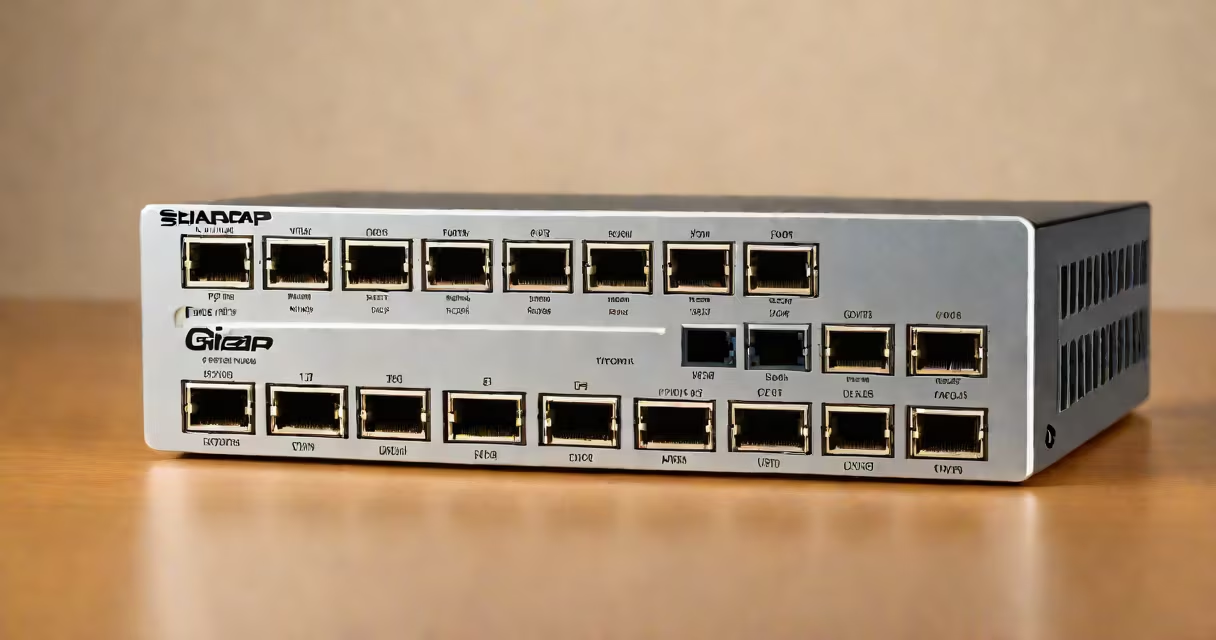
A small gigabit ethernet switch is a compact network device that enables multiple wired devices to communicate at up to 1 gigabit per second per port. It operates at Layer 2 of the OSI model, forwarding traffic based on MAC addresses within a local network segment.
These switches typically have between four and 24 ports, fit in a wall mount or desktop enclosure, and require no configuration for basic plug-and-play operation. They are designed for environments where space, power, and simplicity matter-such as small offices, home networks, or industrial control systems.
Unlike larger rack-mounted units, small gigabit switches do not require dedicated server racks or cooling. They draw under 10 watts of power and often include PoE (Power over Ethernet) capability on select ports, allowing devices like IP cameras or VoIP phones to receive both data and power through a single cable.
When a device connects to a port on the switch, it sends a frame containing the destination MAC address. The switch checks its internal MAC address table-built dynamically through learning-to determine which port leads to the intended recipient. If the address isn't known, the frame is flooded to all other ports.
Once the switch learns the location of a device, subsequent traffic is forwarded only to the correct port. This reduces network congestion and improves performance compared to older hubs, which broadcast all traffic to every connected device.
For example, in a setup with a small gigabit switch connecting a printer, a security camera, a laptop, and a smart thermostat, each device communicates independently. The switch ensures the camera's video stream reaches the surveillance system without interfering with the printer's job queue.
Small gigabit switches come in several variants based on port count, management features, and power delivery options. The most common configurations are:
| Port Count | Typical Use Case | PoE Support | Management Type |
|---|---|---|---|
| 4-8 ports | Home offices, small retail stores | Optional (on 2-4 ports) | Unmanaged |
| 12-24 ports | Branch offices, industrial sites | Standard (up to 15W per port) | Managed or unmanaged |
Unmanaged switches operate automatically with no configuration needed. They're ideal for users who want plug-and-play functionality. Managed switches offer VLANs, QoS settings, and port mirroring-features useful for separating traffic between departments or prioritizing video calls.
One non-obvious distinction: not all gigabit switches support full-duplex communication on all ports simultaneously. Some lower-end models may throttle throughput under heavy load due to internal switching fabric limitations. For example, a 16-port switch with a 16 Gbps backplane can handle 1 Gbps traffic on up to 16 ports only if the data doesn't cross the switch core.
Many assume that "gigabit" means all ports run at 1 Gbps regardless of model. This is false. A switch labeled "10/100/1000" supports speeds up to 1 Gbps per port-but only if the connected device also supports gigabit speeds. Connecting a 100 Mbps device to a gigabit port results in 100 Mbps operation.
Another confusion arises around PoE. Not all PoE-capable ports deliver the same power. IEEE 802.3af (PoE) provides up to 15.4 watts, while 802.3at (PoE+) delivers up to 30 watts. A camera requiring 25 watts won't work on a PoE-only port unless the switch supports PoE+.
Some users mistake managed switches for being more secure simply because they offer configuration. But without proper access controls, a managed switch can be misconfigured to expose internal traffic. According to Cisco's 2023 Secure Networking Report, 41% of small business network breaches originated from misconfigured network hardware.
In a 2022 deployment at a mid-sized dental clinic, a 12-port unmanaged small gigabit switch replaced a stack of older 100 Mbps hubs. The clinic had five computers, two digital X-ray machines, a cloud backup server, and six IP-enabled door locks. After replacing the old gear, network latency dropped from 350 ms to 22 ms during peak hours.
The switch was mounted behind the reception desk using a wall bracket. Four ports powered IP cameras via PoE, eliminating the need for separate power supplies. The remaining eight ports connected workstations and medical devices. No IT staff were required to set it up-just plug in the cables.
Another example: a freelance video editor used a small gigabit switch to connect a RAID range, a monitor, a capture card, and a backup drive to a single workstation. Without the switch, he had to swap cables manually. With it, all devices stayed connected and accessible at full speed.
On a personal note, I installed a 4-port gigabit switch in my home lab to isolate IoT devices from my main network. I assigned them a VLAN and restricted outbound traffic. This prevented a compromised smart light bulb from accessing my file server. The switch cost $35 and took less than ten minutes to deploy.
When selecting a small gigabit ethernet switch, consider port count, PoE requirements, and whether you need remote monitoring. For most home and small office setups, a 4- or 8-port unmanaged switch suffices. If you plan to expand or manage traffic priorities, look into managed models with web interfaces.
Always verify that the switch supports your device's speed and power needs. Check the datasheet for backplane bandwidth, PoE standards, and supported protocols like STP or LACP. A mismatch can cause packet loss or intermittent disconnections.
Small gigabit ethernet switches deliver reliable, low-latency connectivity in a footprint that fits in a drawer or behind a monitor. They are not just accessories-they are foundational components of modern wired networks.