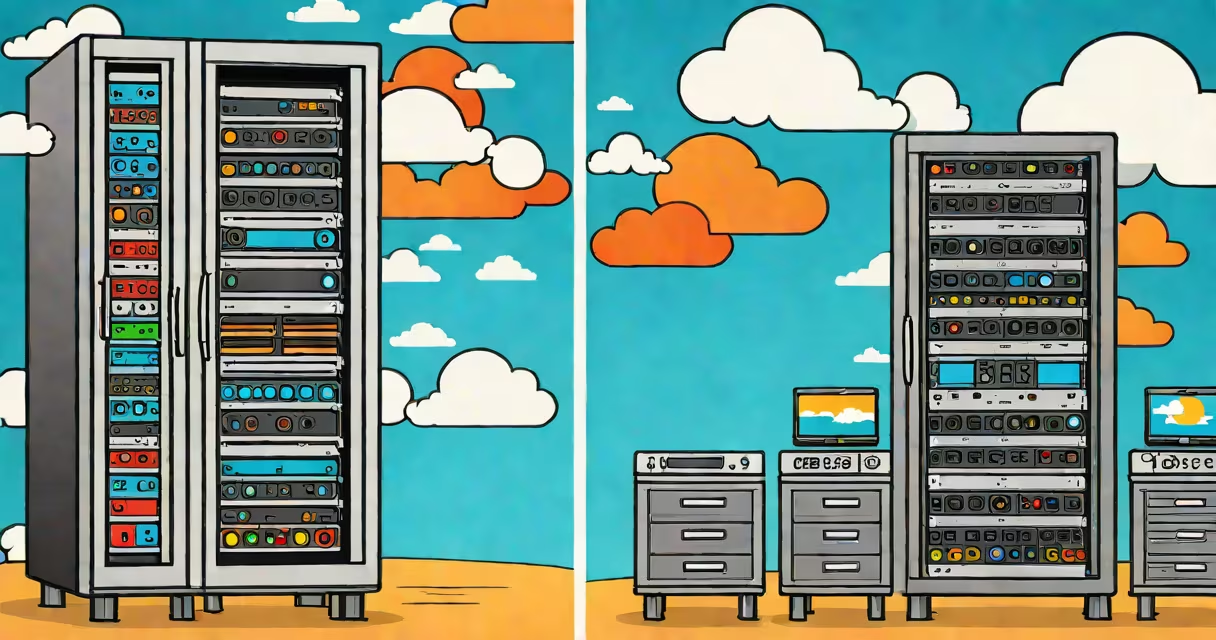
Local vs cloud describes the choice between storing data and running applications on physical hardware within an organization's premises versus using remote servers hosted over the internet. This distinction defines how organizations manage access, security, scalability, and maintenance.
Local systems rely on on-site servers, storage devices, and networking gear. These are physically located within a business's office, data center, or private facility. Data remains under direct administrative control, and operations depend on internal IT staff. Cloud systems, by contrast, run on third-party infrastructure managed by providers such as Amazon Web Services (AWS), Microsoft Azure, or Google Cloud Platform. Users access services via the internet, paying based on usage rather than upfront capital investment.
The decision between local and cloud isn't binary-it often involves hybrid models. Many enterprises combine both approaches, keeping sensitive workloads on-premise while using cloud resources for backups, development environments, or customer-facing web apps.
Local systems operate through dedicated servers housed in a company's own facilities. These servers store files, host databases, and run software like email systems, accounting tools, or custom enterprise applications. Access requires either a direct connection from a workstation or a secure internal network. Maintenance tasks-patching, monitoring, replacing failed drives-are handled by internal IT teams.
Cloud systems function over the internet. A user connects via a browser or API to a remote data center where virtual machines, storage buckets, or software-as-a-service (SaaS) platforms exist. For example, when someone uses Gmail, they're interacting with Google's cloud infrastructure-not a server in their office. The provider manages hardware, power, cooling, and network redundancy. Users scale capacity up or down dynamically based on demand.
Consider a small law firm managing client documents. On-premise, they might install a NAS (network-attached storage) device with RAID protection and encrypt data locally. In the cloud, they'd use Dropbox Business or Microsoft OneDrive for Teams, syncing files across devices and enabling remote access from anywhere with internet.
Both local and cloud environments come in distinct forms, each suited to different needs.
| Type | Local | Cloud |
|---|---|---|
| Deployment Model | On-premise, private, or collocated | Public, private, or hybrid cloud |
| Ownership | Company owns hardware and software licenses | Provider owns infrastructure; user pays per use |
| Scalability | Manual upgrades required; limited by physical space | Instant scaling; automatic provisioning via APIs |
| Latency | Low, consistent response times for local users | Varies by location and network quality; higher latency possible |
For example, a hospital might keep patient records on a local database for compliance with HIPAA regulations. Meanwhile, it uses AWS for hosting its telehealth platform, which handles video calls and stores session logs in encrypted cloud storage.
A common misconception is that cloud systems are inherently less secure. According to the National Institute of Standards and Technology (NIST), cloud providers often enforce stronger security controls than most individual businesses can afford or maintain internally. NIST Special Publication 800-144 states that "cloud service providers typically implement more rigorous access controls, encryption standards, and incident response protocols than smaller organizations."
Local infrastructure remains essential in regulated industries. Healthcare, finance, and government agencies frequently require data residency laws to be met-meaning data must stay within national borders. Local servers ensure compliance with GDPR, HIPAA, or SOX requirements. A bank may keep transaction logs on-premise while using cloud-based AI for fraud detection.
Cloud adoption grows rapidly in startups and remote-first companies. A design team in Portland can collaborate in real time on Figma projects stored in the cloud, accessing them from laptops in Berlin, Tokyo, or Buenos Aires. No need to ship physical drives or set up complex VPNs. Cloud tools enable global collaboration with minimal setup time.
One non-obvious fact: bandwidth costs can exceed cloud compute expenses. A company uploading 1 terabyte of daily data to AWS incurs egress fees-charges for data leaving the cloud. Over a year, these charges can surpass the cost of maintaining a local server cluster. The Federal Communications Commission (FCC) reports that outbound data transfer fees account for up to 30% of total cloud spending in high-volume operations.
Many assume "cloud" means "always available." But downtime happens. In 2021, a single AWS outage disrupted services for Netflix, Slack, and Airbnb due to a misconfigured update in the US-East-1 region. The event affected over 10 million users globally. This shows that cloud reliability depends on provider management, not just the model itself.
Another confusion: local equals cheaper. Not necessarily. Total cost of ownership (TCO) includes hardware, power, cooling, IT labor, and disaster recovery planning. A 2022 study by Gartner found that for medium-sized businesses, moving to the cloud reduced average annual IT spend by 22% over five years, primarily due to lower staffing and energy costs.
I once managed a migration from a legacy file server to a cloud-based document system for a nonprofit. We moved 14 terabytes of archived grant reports and donor correspondence. The process took six weeks. Afterward, staff reported faster search times and fewer lost files. The biggest gain wasn't speed-it was consistency. Everyone accessed the same version, automatically synced across devices.
When choosing between local and cloud, assess workload sensitivity, team size, budget, and regulatory demands. A retail chain with 50 stores might use local POS terminals for transaction processing during outages, while syncing sales data nightly to a cloud analytics platform for inventory forecasting.
Local vs cloud isn't about picking one over the other. It's about matching the right solution to the right task. A school district might use local servers for student records and cloud services for online learning platforms. The goal is balance-control where needed, flexibility where possible.
Understanding local vs cloud helps avoid costly missteps. Whether deploying a new application or upgrading infrastructure, clarity on data location, access rights, and long-term costs leads to better decisions.