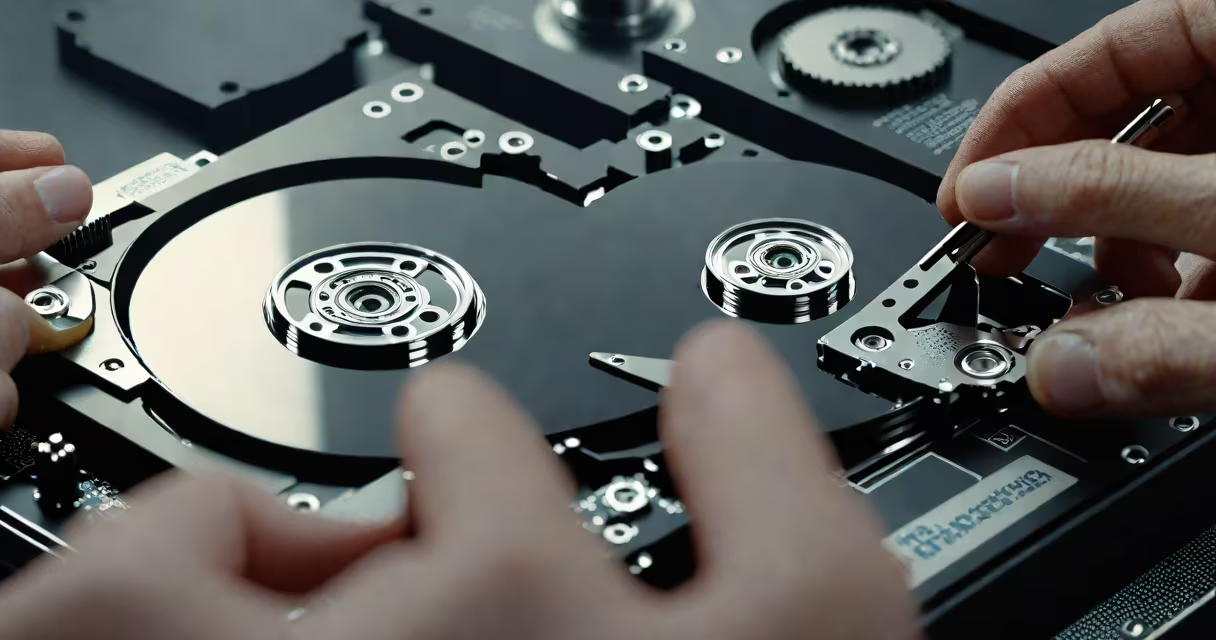
Hard disk recovery is the process of retrieving data from a malfunctioning or damaged hard disk drive when it can no longer be accessed through normal means. This includes drives that fail to boot, show errors during read operations, or have suffered physical damage. Recovery may involve software tools, hardware repairs, or specialized cleanroom services.
When a hard disk fails, data doesn't vanish-it remains on the magnetic platters until overwritten. The challenge lies in accessing it safely. A corrupted file system, bad sectors, or mechanical failure can prevent the operating system from reading the disk. Hard disk recovery bypasses these barriers using targeted techniques based on the root cause.
Recovery success depends on the nature of the failure. Logical issues-like deleted files or formatting errors-are often resolved with software. Physical failures-such as head crashes or motor burnout-require hardware intervention. Some cases demand cleanroom procedures to replace damaged components without contaminating the sensitive internal surfaces.
Recovery begins with identifying the failure mode. Software-based tools scan for readable data structures like file headers, directory entries, and partition tables. These tools reconstruct paths and rebuild file systems when possible. They work best when the disk spins and the media surface is intact.
If the drive makes clicking noises or fails to spin, it likely has mechanical failure. In such cases, software cannot access the data. Engineers then remove the platters and transfer them to a cleanroom environment. There, they swap faulty heads or replace entire assemblies with donor parts from matching drives. This step is critical-contamination from dust particles can destroy data irreversibly.
For logical failures, recovery software uses sector-by-sector imaging. Instead of reading files directly, it copies raw data blocks. This preserves the original state. Once imaged, forensic tools analyze the image to locate fragments of documents, photos, or databases. Even if the file system is gone, metadata like timestamps and file signatures help identify recoverable content.
Recovery methods vary by failure type. The table below outlines common categories, their causes, and typical outcomes.
| Type | Common Causes | Recovery Method | Success Rate (estimated) |
|---|---|---|---|
| Logical Recovery | Accidental deletion, formatting, virus attacks | Software tools (e.g., Recuva, TestDisk) | 85-95% |
| Physical Recovery | Head crash, motor failure, impact damage | Cleanroom repair, head replacement | 40-60% |
| Firmware Recovery | Corrupted firmware, BIOS errors | Chip-level flashing, custom firmware patches | 70-80% |
| Electrical Failure | Power surge, capacitor burnout | PCB replacement, voltage regulation fixes | 60-75% |
Physical recovery demands expertise. A single particle of dust in a cleanroom can render a platter unusable. According to the National Institute of Standards and Technology (NIST), contamination control is essential during component swaps. Cleanrooms maintain air quality at ISO Class 5 levels-equivalent to a hospital operating room.
Firmware recovery is less known but important. Many drives store boot code on a small chip. If corrupted, the drive won't initialize. Repair involves reading the original firmware from a backup or cloning it from a donor drive. This process requires precise hardware interfaces and reverse-engineering skills.
Many assume that any lost data can be recovered. That's false. Overwriting even one byte of a file's location renders it unrecoverable. Once new data writes over old sectors, the original content is gone forever. This is why immediate action matters after a crash.
Another myth is that DIY recovery tools always work. While tools like PhotoRec or EaseUS Data Recovery Wizard handle basic deletions, they fail on physically damaged drives. Running them on a failing drive risks worsening the problem. A spinning motor with worn bearings can seize further if forced to operate.
I once attempted to recover a 1TB drive from a client who'd dropped it. The drive powered on but made a grinding noise. I tried software recovery first-failed. After opening it, I found the actuator arm had scraped the platter. The data was still readable in some zones, but the central tracks were destroyed. We sent it to a cleanroom lab. Only 68% of the original files were restored. The rest were unrecoverable due to irreversible wear.
Some users confuse hard disk recovery with cloud sync. If a file wasn't backed up to Google Drive or Dropbox, syncing won't help. Recovery is local and manual. Cloud services don't replace the need for recovery tools or professional services.
Act quickly after data loss. Stop using the drive immediately. Writing new data increases overwrite risk. Disconnect it from the system and power it off if it's making unusual sounds.
For logical failures, start with free tools like Recuva or PhotoRec. They're effective for accidental deletions and formatted drives. But avoid saving recovered files back to the same drive-they'll overwrite existing data.
When physical symptoms appear-clicking, buzzing, failure to spin-stop trying. These signs indicate mechanical damage. Sending the drive to a certified lab is safer than attempting repairs. Reputable labs offer diagnostic reports and estimated recovery windows.
Hard disk recovery is not guaranteed. Success depends on timing, damage type, and technical skill. But when done correctly, it can restore years of irreplaceable work, family memories, and business records.