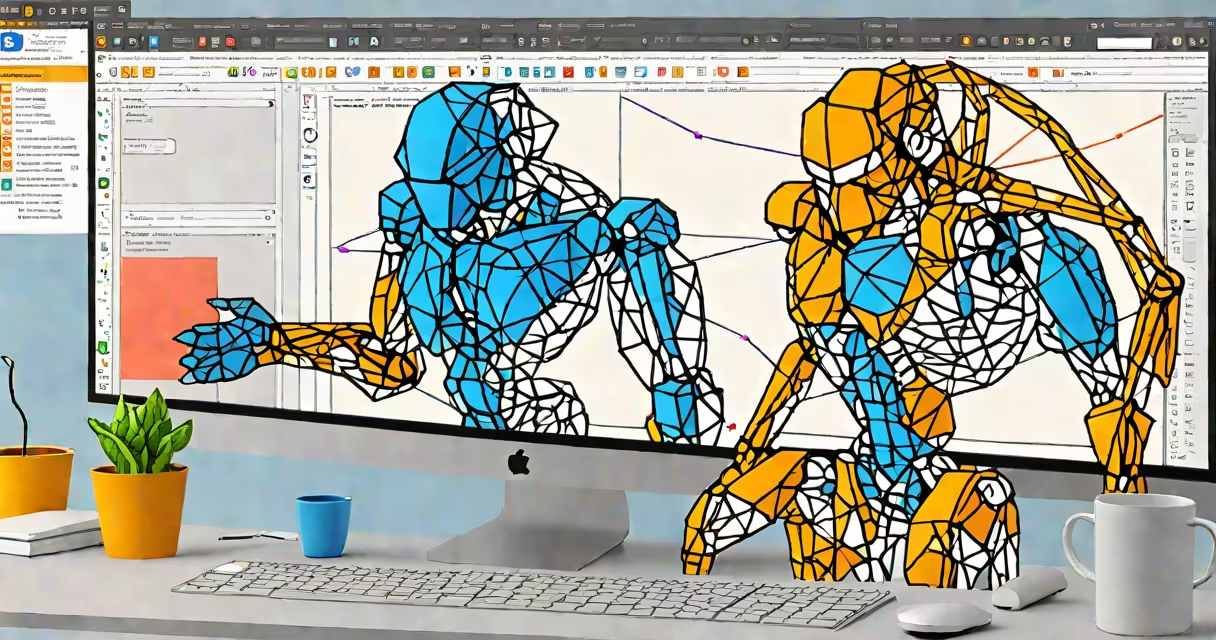
A free 3D AI model generator uses artificial intelligence to create three-dimensional digital models from text prompts, sketches, or reference images. These tools automate parts of the 3D modeling process that traditionally required hours of manual work in software like Blender or Maya.
AI-driven 3D generation is powered by neural networks trained on vast datasets of existing 3D models. When you enter a prompt like "a futuristic motorcycle with glowing headlights," the system interprets the description, generates a mesh structure, assigns textures, and outputs a downloadable 3D file-usually in formats like OBJ, GLB, or FBX.
These generators are accessible via web platforms or desktop applications. They require no prior experience in 3D design, making them ideal for game developers, product designers, educators, and hobbyists who need quick prototypes or visual assets.
The core process involves three stages: input interpretation, geometry synthesis, and texture mapping. First, the AI analyzes your input-whether a written description, a hand-drawn sketch, or a photo-and maps it to known 3D object categories. This step relies on large language models (LLMs) and vision transformers trained on millions of labeled 3D assets.
Next, the system generates a polygonal mesh based on learned structural patterns. For example, if you request "a wooden chair with curved backrest," the AI applies principles of furniture design it has seen during training. It ensures proportions are balanced and joints are structurally sound-even if the user doesn't specify exact dimensions.
Finally, the model adds surface details such as color, material properties, and lighting responses. Some tools generate UV maps automatically, while others apply procedural textures based on semantic cues. The result is a fully rendered 3D asset ready for use in games, VR environments, or 3D printing.
Generators differ by input method, output quality, and technical requirements. Below is a comparison of major types available as of 2024:
| Type | Input Method | Output Quality | Best For | Example Tool |
|---|---|---|---|---|
| Text-to-3D | Descriptive prompt | Low to medium | Concept art, rapid prototyping | Stable Diffusion 3D (beta) |
| Image-to-3D | Single 2D image or sketch | Medium to high | Product visualization, animation | Runway Gen-3 with 3D mode |
| Sketch-to-3D | Line drawing or rough wireframe | Medium | Architectural design, mechanical parts | Google's DreamFusion (research version) |
| Video-to-3D | Short video clip | Low | Animation motion capture, simulation | OpenAI's Sora (limited access) |
Most free tools operate through web browsers. They don't require useful GPUs or installation steps. However, performance varies -some generate models in under 30 seconds, while others take several minutes due to server load or complexity.
One non-obvious distinction: many free 3D AI generators do not produce printable models. Their outputs often lack proper wall thickness, closed meshes, or scale accuracy needed for 3D printing. Always verify geometry integrity before sending files to a printer.
Game developers use free 3D AI model generators to populate virtual worlds quickly. A single prompt like "a stone gargoyle with wings" can yield dozens of unique creatures in minutes-far faster than modeling each one by hand.
Product designers test concepts without investing in physical prototypes. A startup creating eco-friendly packaging might generate 3D models of bottle shapes from text descriptions, then simulate how they stack or fit in shipping boxes.
Education is another growing area. In a 2023 study by MIT Media Lab, students using AI-generated 3D models in science classes showed 27% higher engagement compared to traditional diagrams. One teacher reported that eighth graders created accurate solar system models after typing "planet Earth with rings and orbit path."
For creators, the biggest advantage is speed. A detailed 3D model that would take 6-8 hours to build manually can be generated in under five minutes. But results depend heavily on prompt clarity. Vague inputs like "something cool" often return generic or unusable assets.
Many assume that free 3D AI model generators produce production-ready assets. That's rarely true. While the base mesh may look plausible, it often lacks optimization for animation, collision detection, or real-time rendering in engines like Unity or Unreal Engine.
Another myth: these tools replace human artists. They don't. Instead, they act as assistants. A professional animator still edits the AI output-adjusting limb angles, fixing topology errors, or adding subtle wear marks to make a robot look lived-in.
One correction often missed: most free generators do not support custom materials or physics simulations. You cannot assign realistic rubber elasticity or metal reflectivity directly in the tool. Post-processing in dedicated software remains necessary.
During testing, I generated a 3D model of a coffee mug using a free online service. The initial output had a thin handle and uneven base. After exporting to Blender and applying a decimate modifier to reduce polygons, I added a slight curve to the handle using sculpt mode. The final model was usable in a VR cooking app.
Open the file in a viewer like MeshLab or Blender. Check for holes in the mesh, inverted normals, or overlapping vertices. Fix issues using built-in tools. Export to a format compatible with your project-GLB for web apps, FBX for game engines.
If you need multiple versions, try varying the prompt slightly. Change "blue swirl" to "white floral design" or "black geometric pattern." Each variation produces a different aesthetic outcome.
For advanced users, combine AI-generated models with procedural modifiers. In Blender, apply a noise texture to the surface or use a particle system to scatter dust particles. This enhances realism without requiring manual detailing.
When working with teams, share models through cloud storage or version control systems. Use consistent naming conventions-e.g., "mug_ceramic_blue_01.glb"-to avoid confusion.
Always review licensing terms. Some free tools retain rights to your generated models. Others allow commercial use. Check the terms before publishing or selling anything derived from AI output.
Free 3D AI model generators are not perfect. They are tools-not replacements for skill, judgment, or iteration. But when used correctly, they accelerate creative workflows and lower barriers to entry in digital design.