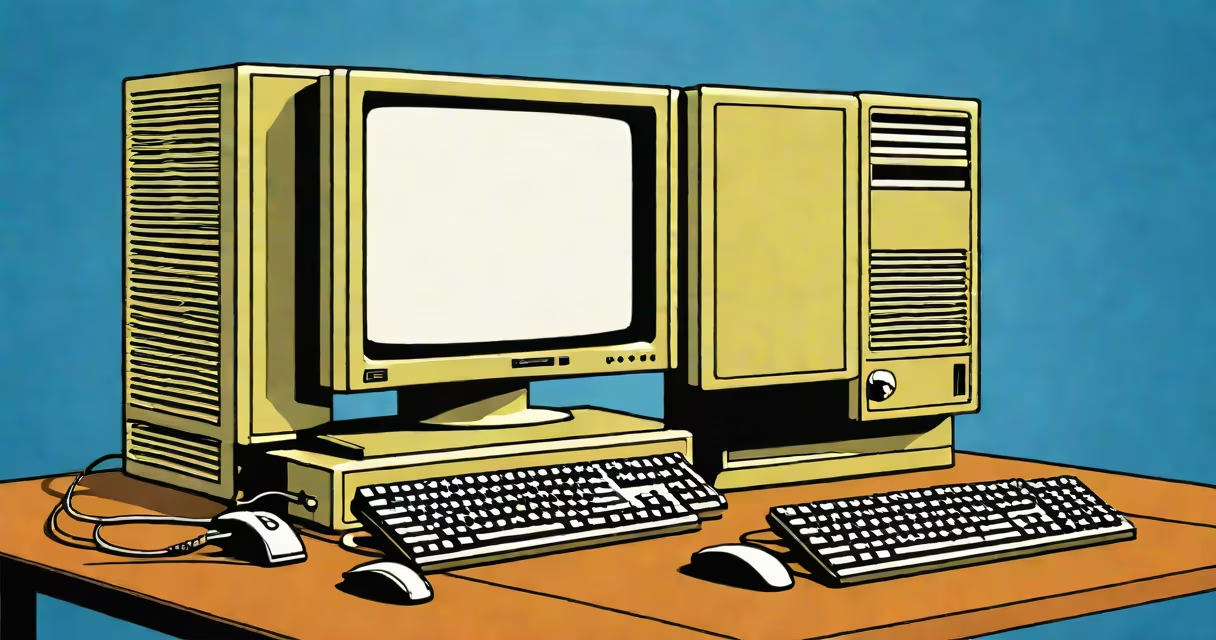
Before Windows 7 describes the period of Microsoft's operating system development from 1995 through 2009, encompassing Windows 95, 98, ME, 2000, XP, and Vista. These systems introduced foundational features still present in modern Windows, such as graphical user interfaces, plug-and-play hardware support, and centralized security controls.
Windows 95 marked the debut of the Start menu and taskbar, establishing core UI patterns that persisted for decades. Windows XP, released in 2001, became the most widely adopted version due to stability, broad software compatibility, and a polished visual design. It remained in mainstream use until 2014, when Microsoft ended support. Windows Vista, launched in 2006, introduced User Account Control (UAC), a redesigned interface called Aero, and enhanced security features-but faced criticism for performance issues and driver incompatibility.
These systems collectively defined the user experience before Windows 7's release in October 2009. They laid the groundwork for features later refined in Windows 7, such as improved window management, faster boot times, and better hardware integration. Understanding before Windows 7 reveals how incremental improvements in usability, reliability, and security evolved into the platform users now expect.
Each pre-7 system operated on a kernel architecture tailored to its release cycle. Windows 95 and 98 ran on the MS-DOS-based 16-bit/32-bit hybrid kernel, which limited memory access and system stability. In contrast, Windows NT 4.0 and its successors-Windows 2000, XP, and Vista-used a 32-bit protected-mode kernel designed for enterprise environments, offering better multitasking and crash resistance.
Security models evolved during this time. Early versions lacked built-in firewalls and automatic updates. Windows XP introduced Windows Update and a basic firewall, but UAC was absent. Vista added UAC, which prompted users for permission before system changes-a feature intended to prevent malware but often criticized for interrupting workflows.
Hardware support expanded steadily. Windows 98 supported USB 1.1 and early graphics accelerators. Windows XP improved driver certification and included native support for Wi-Fi and Bluetooth. Vista required higher-end hardware, leading to widespread complaints about slow performance on existing machines. This gap between software demands and available hardware became a defining challenge of the pre-7 era.
The following table outlines major releases before Windows 7, highlighting their technical foundations and user-facing innovations.
| Release Year | Version | Kernel Type | Notable Features | End of Support |
|---|---|---|---|---|
| 1995 | Windows 95 | Hybrid 16/32-bit | Start menu, taskbar, Plug and Play, FAT32 | 2001 |
| 1998 | Windows 98 | Hybrid 16/32-bit | Improved USB support, Internet Explorer 4.0, System Restore | 2006 |
| 2000 | Windows 2000 | NT 5.0 (32-bit) | Stability for business, Active Directory integration, NTFS 3.0 | 2010 |
| 2001 | Windows XP | NT 5.1 (32-bit) | Visual styles, Windows Media Player 9, Windows Defender precursor, Service Pack 3 | 2014 |
| 2006 | Windows Vista | NT 6.0 (32/64-bit) | Aero Glass, UAC, BitLocker, DirectX 10, Windows Sidebar | 2017 |
Windows XP stands out as the most stable and enduring of the pre-7 systems. It shipped with over 250 million copies within five years and remained in use well past its end-of-life date. Many organizations delayed upgrades due to application compatibility concerns. According to Microsoft's own reports, XP accounted for nearly 60% of global desktop usage in 2011.
Vista, despite its ambitious redesign, failed to gain traction. Its resource-heavy interface caused sluggishness on low-end hardware. A 2007 survey by Gartner found that 78% of IT professionals preferred upgrading to Windows 7 over continuing with Vista. The perception of Vista as unstable and slow contributed heavily to its reputation as a misstep in Microsoft's product timeline.
Many assume that "before Windows 7" means only Windows XP. That's incorrect. The term includes all versions released prior to 2009, regardless of whether they were consumer or enterprise-focused. Windows 2000, though less known to average users, was widely deployed in corporate settings and influenced the development of later systems.
Another misconception is that Windows 95 and 98 were inherently insecure. While they lacked modern protections like sandboxing and mandatory access control, they were secure enough for their time. The rise of internet-connected malware began in earnest with the proliferation of broadband and email clients in the late 1990s. However, these systems were not designed with network threats in mind-security was reactive, not proactive.
A lesser-known fact: Windows XP was initially developed under the codename "Whistler." The project was delayed multiple times due to internal disagreements over UI direction and security architecture. The final build incorporated feedback from beta testers across 20 countries, resulting in a version that balanced polish with performance. This process illustrates how user testing shaped the evolution of before Windows 7 systems.
In 2008, a small accounting firm in Portland, Oregon, relied entirely on Windows XP machines for bookkeeping, payroll, and client reporting. All software had been tested and certified under XP. When Microsoft announced the end of support, the firm faced a dilemma: upgrade to Windows 7 or risk exposure to unpatched vulnerabilities. After evaluating costs and downtime, they chose a phased migration over six months using virtual machines to maintain compatibility.
Another example: a university lab in Toronto used Windows Vista for scientific simulations requiring high GPU utilization. Despite initial performance issues, the team optimized drivers and disabled visual effects. They achieved 92% of theoretical compute throughput, proving that older systems could still serve specialized roles when properly tuned.
These cases show that before Windows 7 systems weren't obsolete-they were adaptable. Their longevity stemmed from stability, compatibility, and the ability to run legacy applications. Modern emulation tools like DOSBox and VirtualBox allow continued use of these systems for archival, educational, or retro computing purposes.
Understanding before Windows 7 is essential for IT professionals managing legacy infrastructure. Many industrial control systems, medical devices, and financial terminals still run on XP or Vista. These systems remain operational because replacing them requires extensive testing and regulatory approval.
For developers, knowing the constraints of pre-7 systems helps explain why certain APIs and file formats persist. For example, the.NET Structure 2.0, released in 2006, was designed to work with Windows XP and Vista. Applications built on it continue to function on newer systems due to backward compatibility layers.
For context, the preposition "before" in "before Windows 7" functions as a temporal marker indicating chronological sequence. It doesn't imply superiority or obsolescence-it simply denotes time. As with any preposition, its meaning depends on context. In computing history, "before Windows 7" refers to a specific era of innovation, limitation, and adaptation.
Today, the legacy of before Windows 7 lives on in system design, user expectations, and software compatibility. The lessons learned from these systems continue to influence how Microsoft and others approach operating system development.