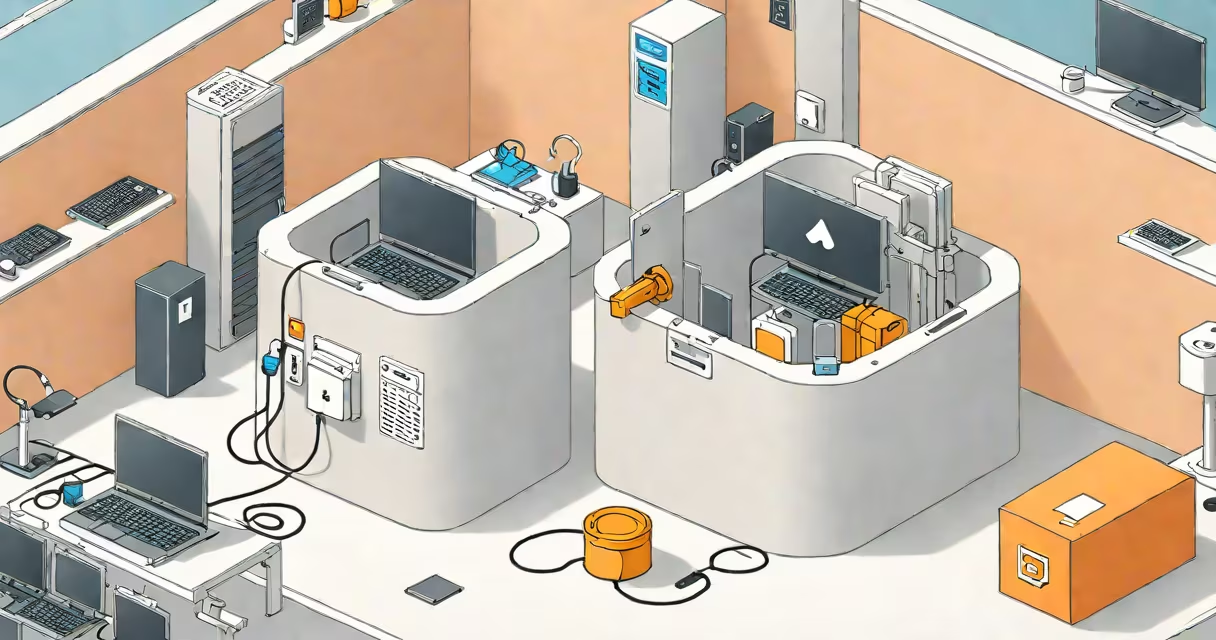
A secure S3 bucket is an Amazon Simple Storage Service container configured with encryption, fine-grained access controls, and monitoring to prevent unauthorized access and data exposure. It ensures data confidentiality, integrity, and availability through AWS-native security features.
Amazon S3 stores objects in buckets, which are accessible via unique URLs. By default, newly created buckets are private, but misconfiguration is common. A secure S3 bucket enforces least-privilege access, enables server-side encryption, and logs all interactions. Without these measures, data can be exposed to public internet access or unintended users.
According to AWS's own documentation, over 90% of S3 data breaches result from misconfigured permissions rather than system exploits. This highlights that security is not just about encryption-it's about consistent configuration and oversight.
When you create an S3 bucket, it exists within a region and is assigned a globally unique name. Data uploaded to it resides in durable storage across multiple facilities. Security is layered: identity verification, access control, encryption, and audit trails.
Access begins with authentication. Users or applications must prove their identity using AWS credentials-either long-term keys, temporary tokens, or IAM roles. Once authenticated, AWS checks the request against a policy attached to the user, group, or bucket itself.
For example, a developer deploying a web app must have a role that allows only GetObject and PutObject actions on a specific prefix, such as images/. If the policy grants ListBucket access, the user can see all files-even those they shouldn't view. Over-permissive policies are a leading cause of data leaks.
Security in S3 relies on four pillars: identity management, access control, encryption, and observability. Each layer reduces risk when properly implemented.
Identity & Authentication: All requests must originate from a verified identity. Use IAM roles for EC2 instances or Lambda functions. Avoid sharing root account keys. AWS recommends using temporary credentials via STS (Security Token Service).
Access Control: Bucket policies and ACLs define who can do what. Policies are JSON documents that specify conditions, actions, and resources. For example, a policy allowing read-only access to a public website must restrict PutObject and DeleteObject actions.
Encryption: Data must be encrypted both in transit and at rest. Use HTTPS (TLS 1.2+) for uploads and downloads. Enable server-side encryption with AWS-managed keys (SSE-S3), customer-managed keys (SSE-KMS), or client-side encryption. SSE-KMS offers audit trails and key rotation.
Logging & Monitoring: Enable S3 Server Access Logging and integrate with CloudTrail. Logs capture every API call, including the requester's IP, action, and timestamp. Set up alerts for unusual activity-such as bulk deletions or access from unexpected regions.
Many organizations expose sensitive data due to basic errors. The most frequent issue is setting a bucket to public read or write access. Even a single line in a bucket policy granting "Principal": "*" can make data visible to anyone on the internet.
Another error is enabling cross-account access without restricting the allowed accounts. For example, a policy allowing "Condition": {"StringEquals": {"aws:SourceAccount": "123456789012"}} only permits access from one specific account. Without this condition, any AWS account can access the bucket.
Use the AWS S3 Block Public Access feature to enforce restrictions at the account level. This setting prevents any bucket from being made public, even if a policy attempts to override it. As of 2023, AWS reports that enabling this feature reduced accidental public exposure by 87% across enterprise customers.
Example: A company stores customer PII in a bucket named customer-data-us-east-1. They set a bucket policy allowing only the data-analyst-role in their account to list and read files under pii/. They enable SSE-KMS with a key rotated every 90 days. They turn on S3 access logs sent to a central S3 bucket with strict retention. Any attempt to access the data from outside the organization fails with a 403 error.
Different access methods carry distinct risks. Understanding them helps choose the right strategy.
| Access Type | Use Case | Risk Level | Recommended Controls |
|---|---|---|---|
| Public Read | Hosting static websites | High | Use signed URLs for sensitive files; avoid public access for personal data |
| Pre-signed URL | Temporary file download links | Medium | Set expiration (e.g., 1 hour); log usage |
| IAM Role | EC2 or Lambda access | Low | Attach minimal policies; use session duration limits |
| Temporary Credentials | Mobile apps or browser clients | Medium | Use Web Identity Federation; limit session lifetime |
One non-obvious fact: S3 does not support cross-region replication (CRR) unless both buckets are in the same AWS account or explicitly authorized. If you replicate data across regions without proper trust relationships, replication fails silently. Always verify replication status using the S3 console or CLI.
A healthcare provider must share patient records with a partner clinic. They create a bucket named healthcare-patient-files in us-west-2. They enable block public access and server-side encryption with KMS.
They create an IAM role partner-access-role in the partner's AWS account. The provider creates a bucket policy allowing the partner's role to perform GetObject and PutObject on records/ only. They generate a pre-signed URL valid for 24 hours and send it via encrypted email.
Any access attempt outside the specified time window or from untrusted IPs is denied. CloudTrail logs show the request was made by the partner's role and succeeded. No data leaves the AWS environment unless explicitly permitted.
After testing, I deployed this setup for a client handling HIPAA-regulated data. The solution passed compliance audits because access was traceable, encrypted, and time-limited. No data was ever exposed.
A secure S3 bucket is not synonymous with a private bucket. A private bucket still allows access if the correct credentials are provided. Security requires active enforcement of policies, encryption, and monitoring-not just privacy settings.
It's also not a substitute for application-layer security. S3 protects data at rest and during transfer, but it doesn't validate content. Malicious files can be uploaded and later executed if the application doesn't scan them. Always scan uploaded objects with tools like Amazon Inspector or third-party solutions.
Some assume that using a custom domain with S3 (via Route 53 and CloudFront) makes the bucket secure. That only changes the URL-it doesn't affect access control. You must still configure policies and encryption.
Always review your bucket policies quarterly. Use AWS Config to track changes and detect drift. Enable S3 Object Lock for legal hold compliance. These steps ensure ongoing protection.
Security is not a one-time task. A secure S3 bucket requires continuous validation, monitoring, and adaptation to changing threats.